Serpentine

The twisty way there and back.

Pick a start and how far you want to ride. Serpentine finds a loop on curvy, quiet roads, then hands it to Apple Maps for turn-by-turn voice guidance.

Join the iPhone & iPad beta Join the Mac beta Try it live in your browser

In TestFlight now · coming to the App Store · iPhone, iPad and Mac

Every state, from the Tail of the Dragon to the Million Dollar Highway.

Free. No account, no ads, no analytics, no third-party code. Your phone talks to one server — mine — and it doesn't keep where you went.

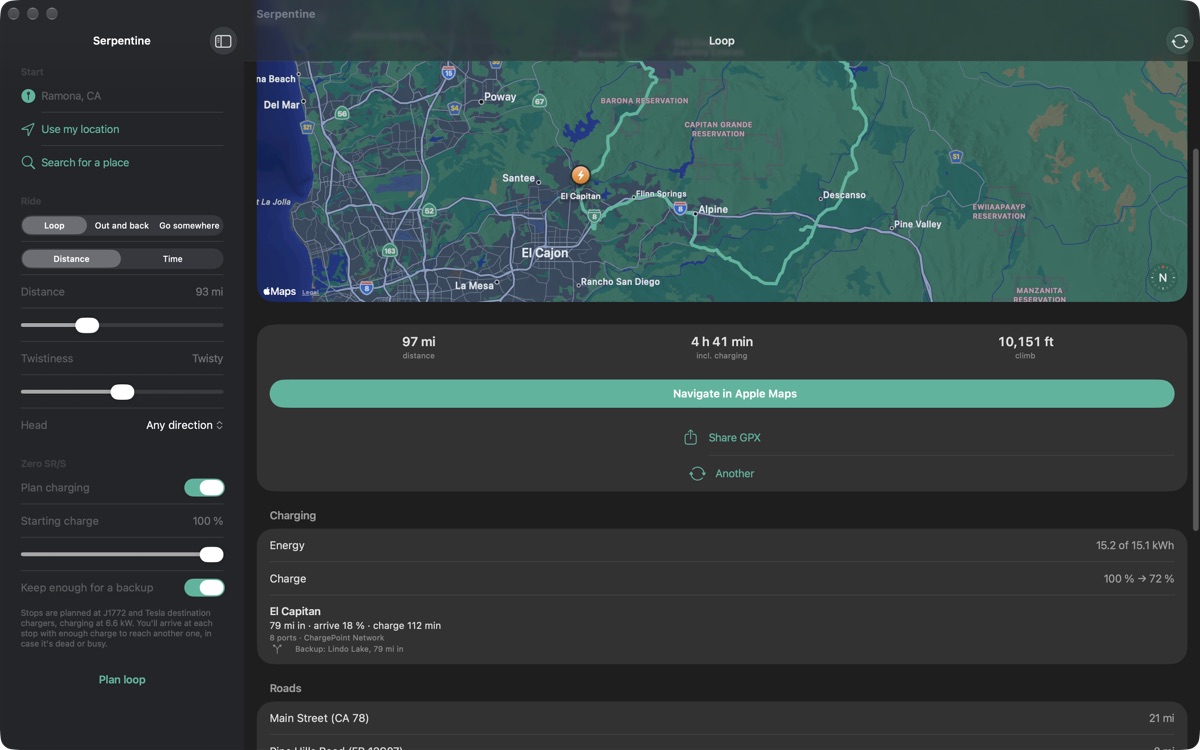
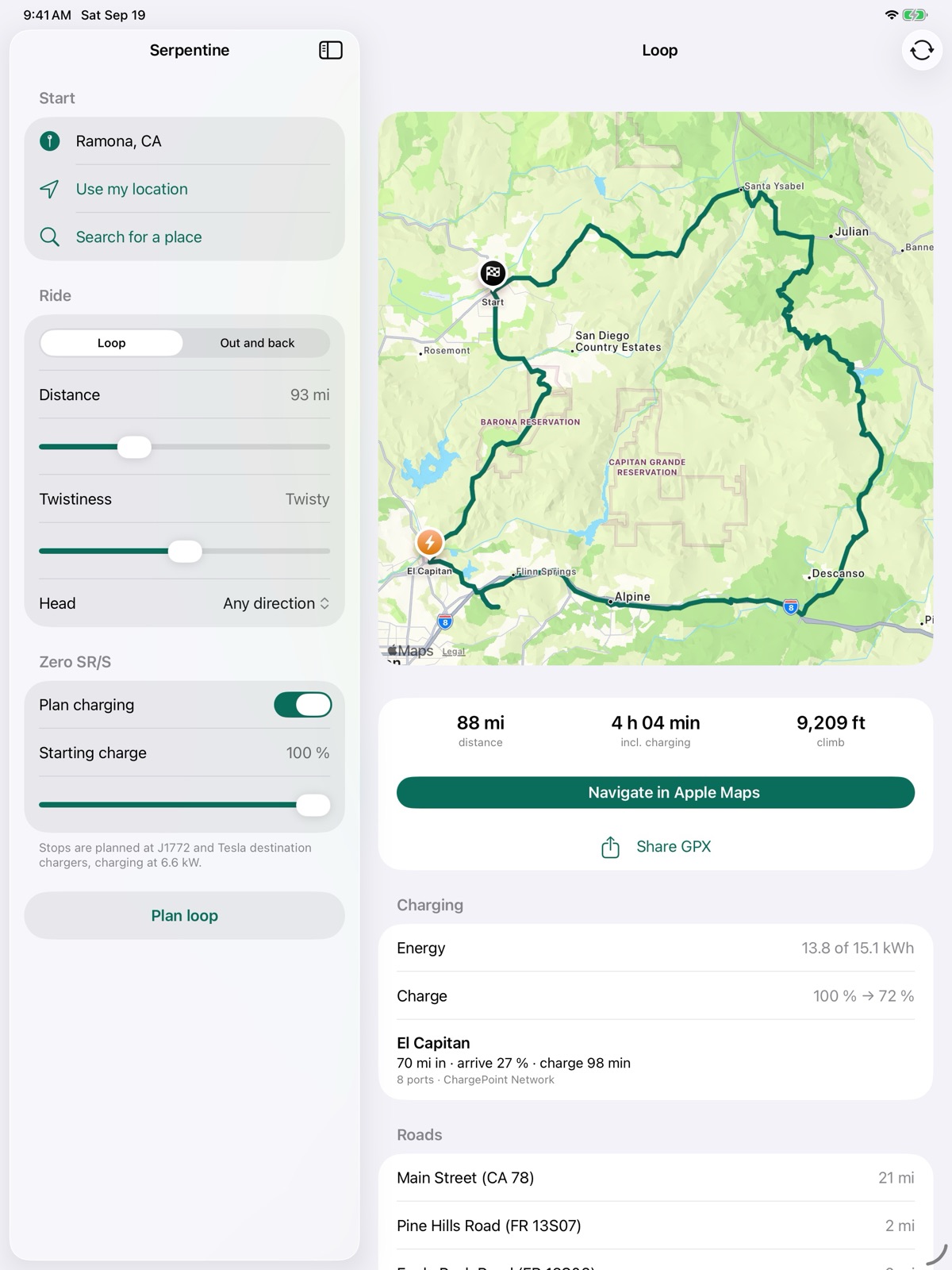
Serpentine on iPad: an 88-mile loop from Ramona through Julian, Descanso and Alpine, with a charging stop at El Capitan
Loops

Curves first, minutes second.

Navigation apps take the fastest road. Serpentine prefers the ones worth riding: plenty of bends, moderate speed limits, little traffic, no freeway if it can help it.

Set the distance and how twisty you want it. Don't like the result? Tap for another.

It knows the whole country: US 129 at Deals Gap, US 550 out of Ouray, Seven Lakes Drive, the Cherohala Skyway — and the road near you that nobody has written about.

You can ride the famous ones without typing anything. "Ride a famous road" plans the Tail of the Dragon, the Million Dollar Highway or the Beartooth in a tap, which is also the quickest way to see what Serpentine does before you point it at your own roads.
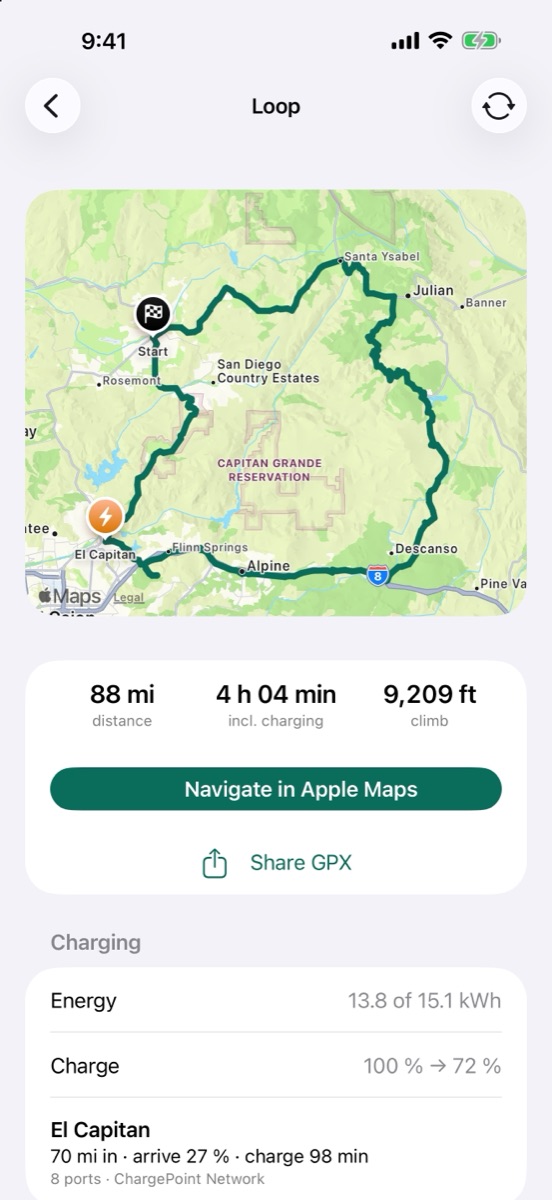
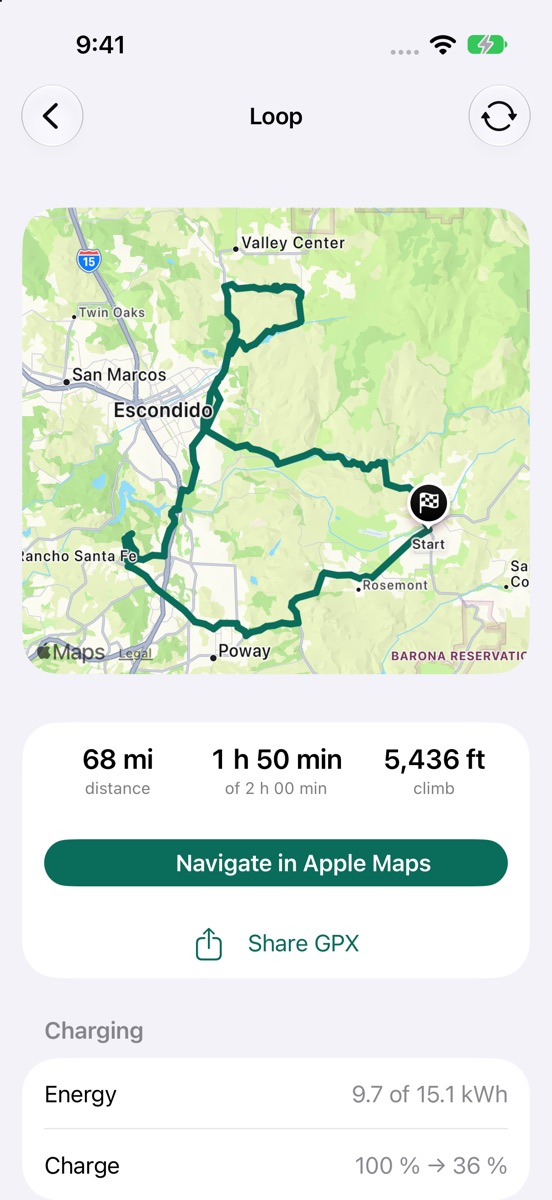
A planned loop on iPhone with distance, time and climb
Time

Two hours on a Saturday.

Say how long you've got instead of how far you want to go. Serpentine works out the distance from how fast its own roads actually ride, and comes in under your time, not over.

With charging on, the wait at the charger counts against the clock too.

A ride planned to a two-hour budget, showing 1 h 50 min of 2 h 00 min
Out and back

Different roads on the way home.

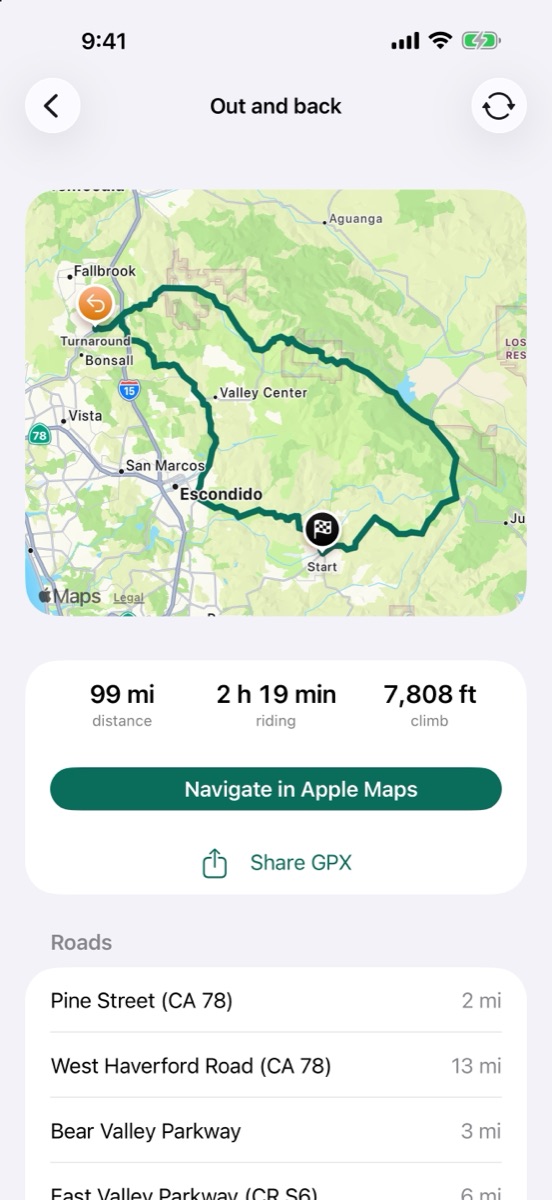
Pick a direction and Serpentine rides you out to a turnaround, then brings you back on other roads wherever the map allows. It won't just retrace your steps.

An out-and-back ride with a turnaround marker
Electric

Charging stops, planned pessimistically.

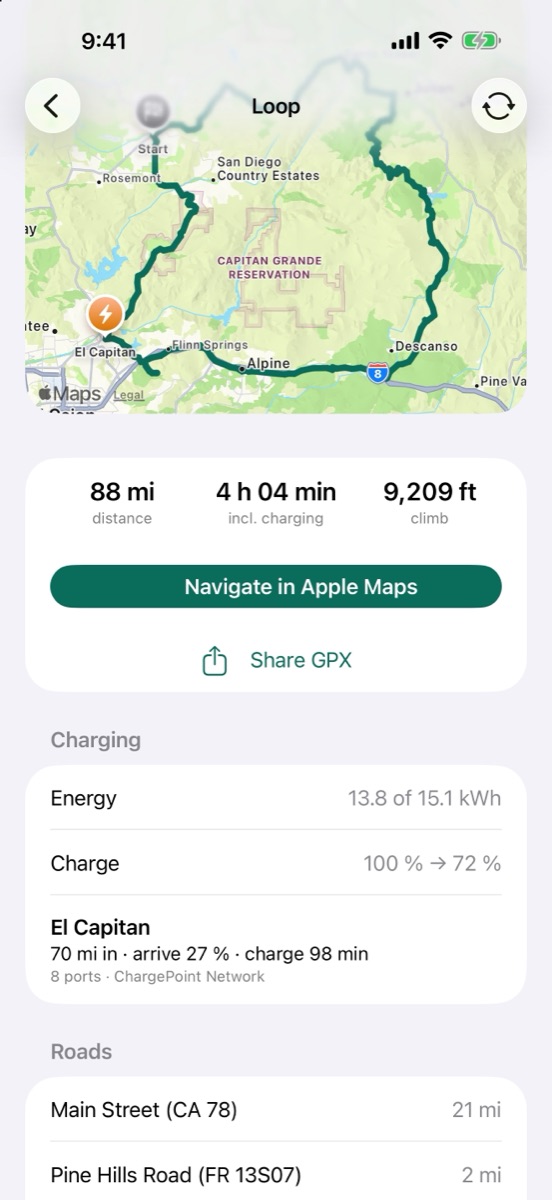
Turn on charging and Serpentine plans stops at public J1772 and Tesla destination chargers along the route. It estimates your charge on arrival and how long you'll wait, and holds back enough battery to reach a second charger in case the first one is dead or busy.

The estimates err on the cautious side. A stop you didn't need beats a long walk.

Level 1 is a household socket — overnight, and useful mainly at home. Level 2 is the public J1772 post: an hour or two, and what Serpentine plans today, because it's what most electric bikes take. Level 3 is DC fast charging, minutes rather than hours — it matters for the bikes that accept it, and arrives here as those bikes do.

Bike profiles are on the way: Zero, LiveWire and Can-Am from a built-in catalogue, or your own numbers when the spec sheet doesn't match what you actually ride.

Serpentine on the Mac: the ride's charging detail beside the map
Ride

Voice guidance you already trust.

One tap opens the ride in Apple Maps with stops along the planned roads, so Siri follows Serpentine's route rather than inventing its own.

Got a Beeline or a GPS on the bars? Share a GPX and it carries the whole ride — every road we picked, plus your charge stops with the name, the wait and what you arrive with. Tested on a Beeline Moto II: a 97-mile loop came back inside a tenth of a mile of the one we planned.

And when it isn't a ride — the helmet shop, the dealer, the airport — "just get me there" takes the freeway and plans the charging anyway, so you don't need a second app for errands.

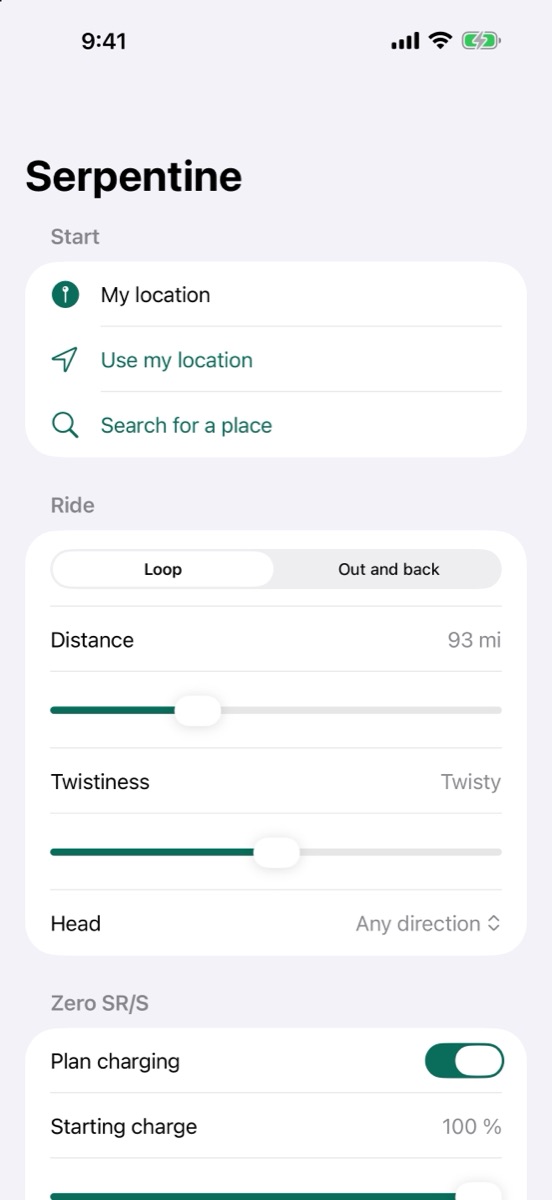
The plan screen: start, ride type, distance, twistiness and charging
When it's going wrong

Not the nearest charger. The one you can reach.

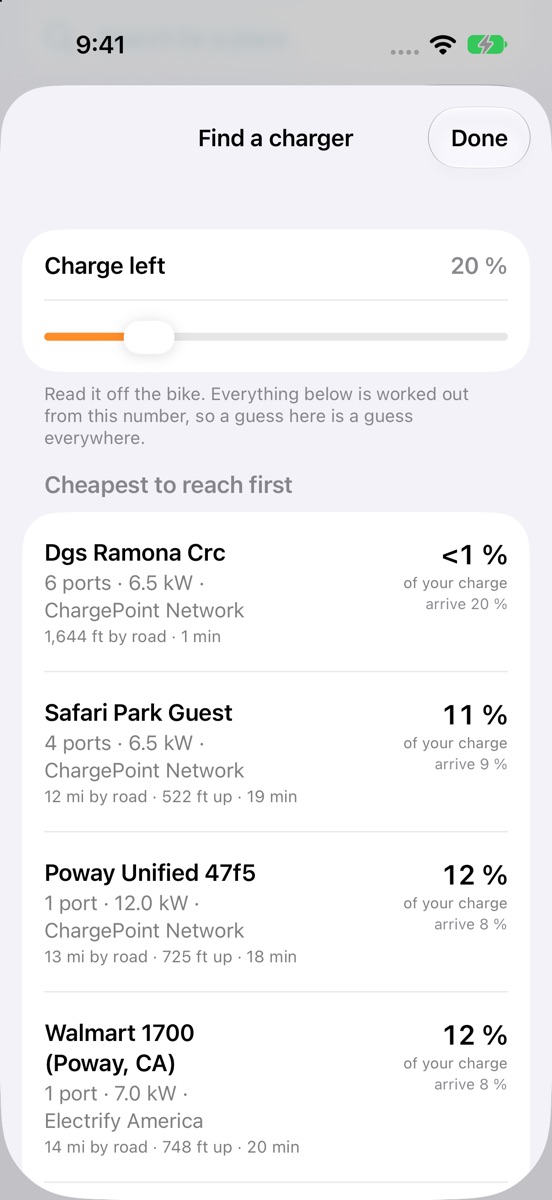
Low on battery, "nearest" is the wrong question. A charger six miles away over a ridge can cost more of the pack than one ten miles away on the flat — climbing takes charge, and so does speed. Serpentine prices every charger it can route to and sorts them by what the ride there would actually cost you.

Each one says what it needs and what you'd arrive with. Tap it for the route that spends the least getting there, which is rarely the fastest way. What you can't reach is marked, not hidden — and if nothing is in range, you still get the nearest, because that's where the trailer should take you.

And it fits around a ride in progress: pause part-way, go and charge, then carry on with the rest from wherever you ended up — the miles to the charger aren't ridden twice.

Estimates, from a charge figure you type in, and deliberately cautious. Leave yourself room.

Chargers listed by the share of battery needed to reach each one, cheapest first
Keep

The good ones are worth keeping.

Save a ride and it stays: give it stars, write down what you found — gravel on a turn, the charger that's always busy — and note when you last rode it.

Rides you haven't ridden yet go in the same list, so it works as a to-do list of roads worth trying as much as a record of the ones you've done.

Saved rides keep the route exactly as planned, so one opens the same way every time and needs no signal. They stay on your device: never uploaded, no account to sync them to.

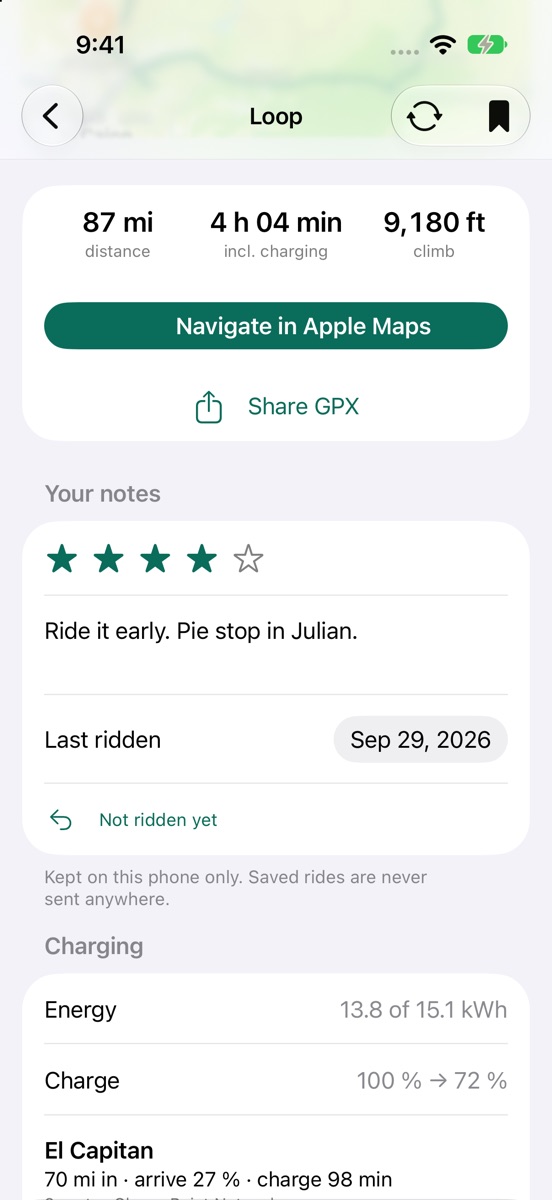
A saved ride with a four-star rating, notes and the date it was last ridden
Privacy

It never finds out who you are.

Not as a policy you have to trust: there is nowhere for it to put you. No account exists to create, so nothing you plan is attached to a person.

  • One server, and it's mine. The app contacts serpentine.phfactor.net and nothing else — a Mac in my house. No ad network, no analytics service, no crash reporter, no font or script from somewhere else.
  • Your ride is forgotten. A plan sits in the server's memory for up to a day so that sharing a GPX works, then it's gone. It is never written to disk, never logged, never passed on.
  • The logs can't point at you. The access log keeps the time, which request it was and half an IP address — no routes, no locations, no browser details — and is deleted after 30 days. Rate limiting keys on a scrambled address that changes whenever the server restarts.
  • Saved rides stay on the device. Never uploaded. There is no account to sync them to; deleting the app deletes them.
  • Chargers without naming you. With charging on, my server — not your phone — asks the Department of Energy and Open Charge Map about the route's shape and those chargers' coordinates. Nothing about you or your device goes with it.

What isn't mine to promise: the map and the place search are Apple's, so search terms go to Apple, and tapping Navigate hands the ride to Apple Maps. That's in the privacy policy too, which is written to be read rather than to cover me.

No phone needed to see what it does.

The planner runs in a browser too: pick a spot, plan a loop or an out-and-back, see the roads it chose. Try it live.

Two sources

Where a charger is, and whether it works.

Knowing a charger exists isn't the same as knowing it's alive. Serpentine asks two databases, because neither answers both questions.

The U.S. Department of Energy's station data says where chargers are, what connectors and how many bays. Open Charge Map says what riders found when they turned up: out of service, trouble charging, or last confirmed working years ago. A stop reported dead is replaced before you see it.

Charger status and check-ins from Open Charge Map contributors, licensed CC BY-SA 4.0. Neither database is complete — coverage is thinnest on the remote roads worth riding — so treat both as a good hint and take the backup seriously.

A charge stop showing arrival charge, dwell time and its backup charger

No account, no tracking

No sign-up, ads, analytics or third-party code. Your start point plans the ride and isn't kept. Privacy policy

Free

No subscription, no in-app purchases, nothing locked. The routing runs on my own hardware, so there's no per-ride bill to pass on.

All 50 states

Plans rides anywhere in the United States, Alaska and Hawaii included. Runs on iPhone and iPad (iOS 18.4 or later) and on the Mac (macOS 15.4 or later).

Free, and staying that way.

I built Serpentine for my own riding. It plans on a Mac in my house, costs me the electricity and an Apple developer account, and asks you for nothing — no subscription, no in-app purchase, no feature held back.

If it found you a road worth riding, you can buy me a coffee. That's the whole business model.

Buy me a coffee

Off-site, and that's deliberate: there's no payment processor on this page and no payment code in the app, so nothing here ever sees your card. Giving nothing changes nothing.